I just gave a presentation online using tools provided by the event host, CPA Technology Advisor. I have made numerous presentations using just about every web delivery mechanism available. But the solution they use, called On24, was a new one for me. Let me just say I was impressed.
First of all, much of the credit for my positive experience has to go to the support team at CPA Technology Advisor. There were three or four people who were just there to make sure all of the technical issues got handled. They made the opening intro, answered questions that were typed in by attendees, coordinated with the call operator, and eliminated the hassle for me, the lowly content provider. I felt like a rock star with my own posse.
But let’s talk about the features of On24 l that made it unique IMHO:
1. It had a presenter view window which allowed you to view the entire slide show separate from whatever slides were live. At any time, you could see what was in the queue for the next slide.
2. It had integrated polling features (these were handled by one of the pros at CPA Tech Advisor so I didn’t have to do a thing but wait for the results to be posted)
3. Apparently, if you are an attendee, at the end of the session you can download your CPE certificate. That’s incredible for us CPAs who have to get our yearly training credits and often have to wait until year end to receive the certificates.
4. It kept the chat area visible on the screen so you could view slides and questions at the same time. It also had a nice way of allowing you to rank the questions and handled multiple people answering questions beautifully.
5. The phone line/conference call was integrated into the presentation and offered a separate speaker access number. (I normally use a separate conference line which makes it harder to record the session for later viewing.)
Many of the competitive services also offer this call feature –so it is probably just ignorance on my part that made this one unique.
There is, however, one big limitation of this tool– apparently it does not allow you to share your full desktop. It only shares slides that have been pre-loaded. So if you will be showing slides and live product, you are out of luck. It is ideally suited for educational topics that are slide show based.
So what are the other options for delivering web events for your clients?. I have checked out the options for offering small events via the web and these are the tools that I have tried:
1. Webex – they were one of the first services I used for software presentations and demos. They are fairly expensive but offer a proven solution with different options for small events and larger ones. There is a 14 day free trial. They offer a monthly plan for $69 per month that handles up to 25 attendees. They also offer a pay per meeting option, that I have used, but it gets very pricey fast. I spent $128 for a one hour meeting with a few participants.
2. Citrix Go to Meeting – known for their remote access capabilities, this is the one I am currently using. They have an option that goes for $49 per month for up to 15 meeting attendess.
3. IBM has a product called Lotus Sametime Unyte which is pretty reasonable – it starts at $48 per month for up to 15 participants and scales to 999 participants for $99 per month. They also offer a free one user to one person version of their product. I tested the free trial for this product and I was not impressed with the speed. There seemed to be a significant lag time between my actions and what was visible to my audience.
4. Adobe offers its solution called Acrobat Connect Pro but it is very pricey – a 5 user version goes for $375 per month.
So what do I recommend? If you can get a team of helpers to handle the technology for you, that would be my first choice. Barring that, you need to consider the kinds of requirements you have and the number of attendees that you plan on having at your events. If you want to try a service out, go for one pay per use option on the site of your choice. And then make a decision that fits your budget. You can't go wrong with any of these services.
What’s your opinion on the tools listed?
|
0 Comments
20 of the finest paws I've had the pleasure of meeting. 4 Labrador Retriever siblings and their Mom gathered to celebrate Labor Day in Carmel Valley. (Owners Brooke Osborne and Corrin Beaumont are their talented trainers.)  While most of you are focusing on the words or the performers (I mean Politicians) who give those political speeches at first one and then the other convention, I have been focused on the moments of silence. |
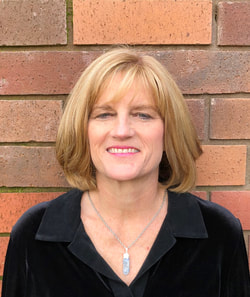 Geni Whitehouse CPA, CITP, CSPM Author, speaker, trainer > 50% Countess of Communication, Brotemarkle,Davis Co. > 50% Writin', speakin', consultin' Co-founder of SolveServices.com a remote bookkeeping service for wineries. How to hire me. Author How to Make a Boring Subject Interesting : 52 ways even a nerd can be heard I have a ton of other websites including my newest for Twitter newbies www.evenatwit.com Originally from Greenville, SC, I now live in Napa, California. Contact Geni
I am an accountant on a mission. I want to permanently remove the blight of BORING that has attached itself to members of my profession.
But the boring blight doesn't stop there. It's everywhere. I've found it in wineries (although it's a tad more palatable when served with alcohol), in science labs, even in Art museums. And technology people carry the "B" gene too. But the condition need not be fatal. I lecture around the country to accountants and technology audiences and I have a ball. I was a partner in an Atlanta CPA firm when I realized technology was my true passion and I have been fighting the nerd versus geek battle ever since. Through some stroke of absolutely amazing luck, I now find myself in Napa -- the most gorgeous, hospitable place imaginable. Are you on Twitter? You can follow my nerdy life there : evenanerd Contact me geni@evenanerd.com I am a graduate of the Jeff Justice Comedy Workshoppe and the Persuasive Speaker course taught by Speechworks. I highly recommend both of these organizations. I have also taken training from the amazing Lynda Spillane. I am not unbiased, nor do I wish to be. I have done work for anyone and everyone in the software industry or the accounting profession. If I am not impressed by what you do or can't find an angle that is interesting or unique, I won't work for or with you. And if you are stodgy or boring, there are not enough dollars or even euros to make me help you. See samples of my writing here: www.salestaxradar.com www.mybizcounts.com  Archives
July 2017
Categories
All
Other websites you might enjoy: |
 RSS Feed